
Verification
Verification
Section titled “Verification”Verification is what makes a claim on EarthTeam mean something. A project owner says what their work achieved; another member checks it against a structured scorecard; the score decides the Stars the project earns.
It runs in two steps. A project applies for verification. Any member can then pick it up and start verifying straight away — no waiting for an administrator. The verifier works through the scorecard, attaching evidence as they go, and submits. (Administrators can switch approval-first mode back on at any time.)
Key Capabilities
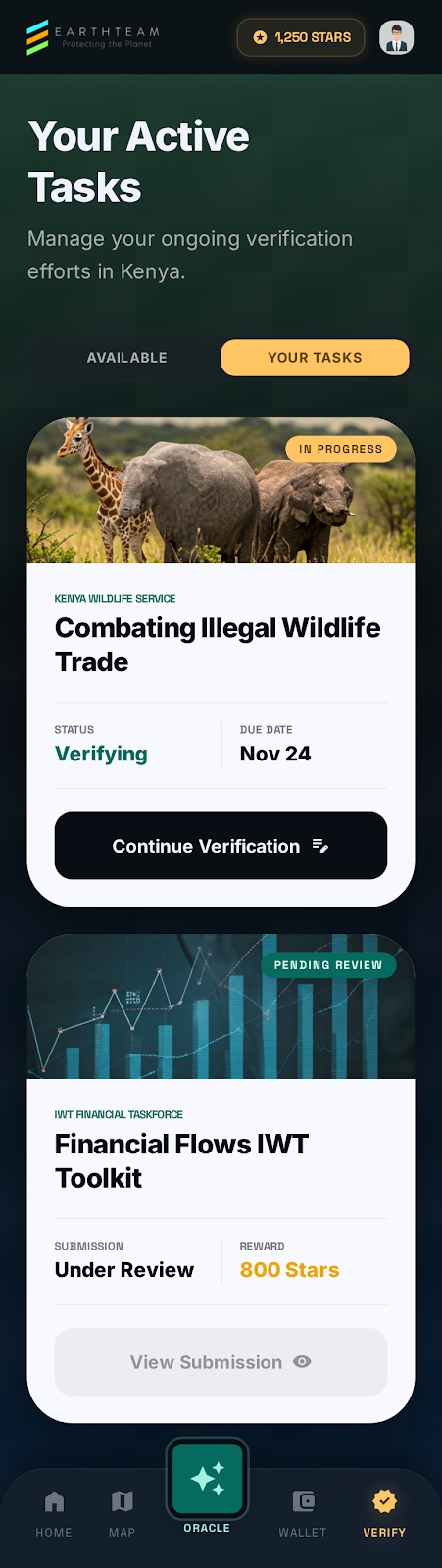
Section titled “Key Capabilities”- Find work to do — a list of projects waiting for verification, alongside the ones you’ve started
- Project details at a glance — every card opens a brief: the project, the scorecard’s sections, and the Stars at stake
- Start instantly — one tap on Start Verifying opens the scorecard; no approval queue
- The project always at hand — a slide-out panel on the scorecard’s edge shows the full project any time you need to check a claim
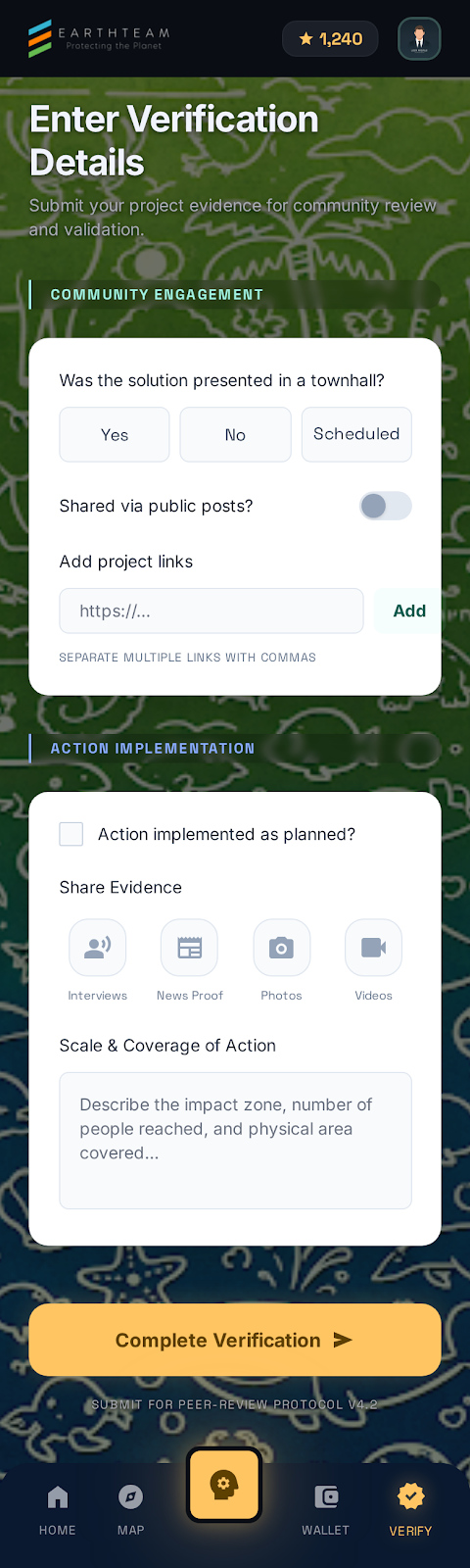
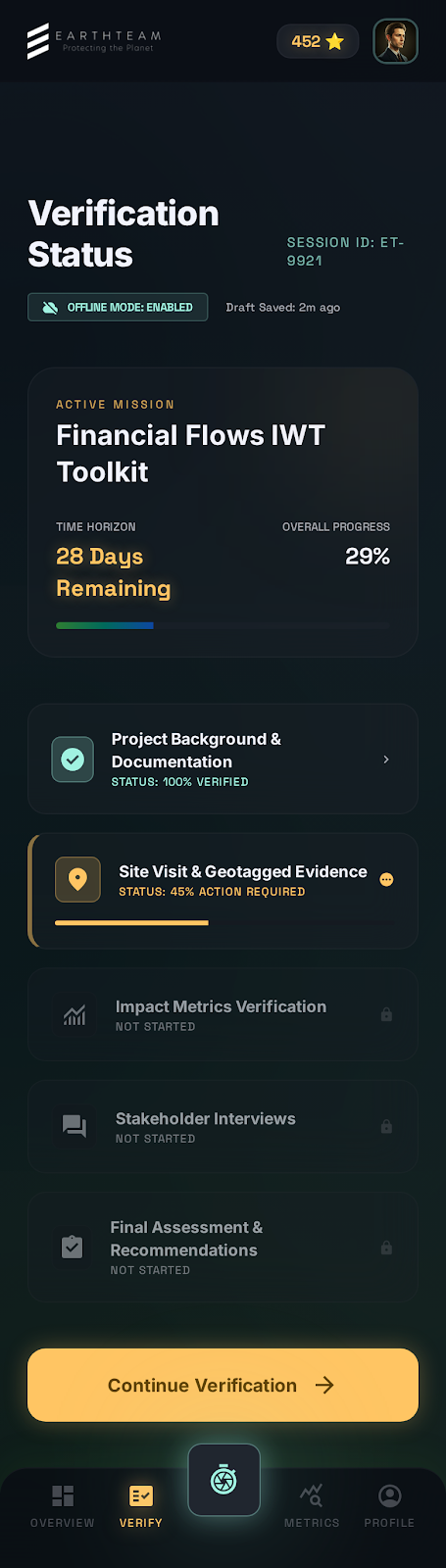
- Staged scorecard — questions grouped into Collaboration, Action, Outcome, Impact, and Integrity & Risk, each section showing how many answers you have completed
- Two kinds of question — yes/no checks worth a fixed number of Stars, and number entries worth Stars per unit
- See what was claimed — the project owner’s own figure appears beside each number you are asked to confirm
- Attach evidence — add photos or documents to any individual question, so each piece of proof sits with the claim it supports
- Save as a draft — stop at any point and pick up later, on any device
- Never lose answers — leaving the scorecard with unsaved answers prompts you to save or discard first
- Automatic checks — a few items the platform can confirm on its own are filled in for you
User Flow
Section titled “User Flow”- Open Verify from the menu, or the Earn tile on Home
- Tap Details on a project to see its brief — sections, checks, Stars
- Tap Start Verifying and you’re in the scorecard immediately
- Slide the project panel out from the right edge whenever you need the claims
- Attach photos to the questions they support
- Save a draft whenever you need to stop
- Submit when every required check is answered
Design Mockups
Section titled “Design Mockups”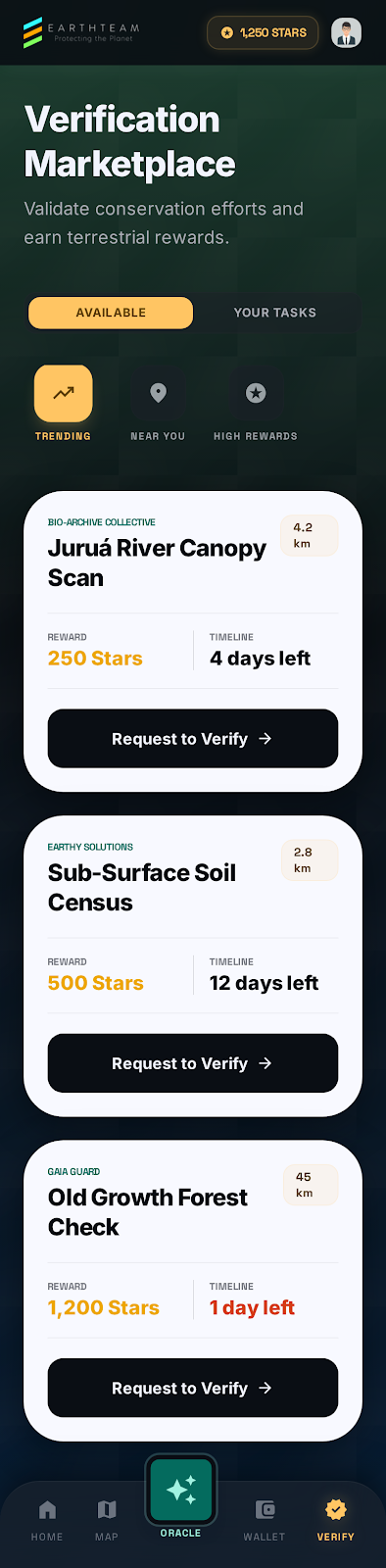
How the Stars are decided
Section titled “How the Stars are decided”The scorecard is scored, not judged. Each yes/no check carries a fixed number of Stars, and each number you confirm is multiplied by that item’s weight. Add them up across the five stages and you have the project’s total — that total is what the project earns. The verifier earns a share of it for doing the checking.
The scorecard itself mirrors a Planetary Health scoring framework agreed with the team, and the weights behind it can be adjusted by administrators as the framework evolves, without the app needing an update.
How It Works
Section titled “How It Works”Your answers are held by EarthTeam as a draft the moment you save, so a lost signal or a closed app never costs you work. Evidence you attach uploads straight away and stays with the draft, ready for the next time you open it. Once you submit, the submission is sealed — answers and evidence can no longer be changed.
Where several verifiers review the same project, their answers are compared and combined, giving more weight to verifiers with a stronger track record. Disagreements are flagged rather than averaged away. When the result settles, the project’s status updates and the Stars are recorded for both the project and the verifiers who did the work.
Related Features
Section titled “Related Features”- Post Detail — where a project applies for verification
- Wallet — where earned Stars appear
- Treasure Chest — what Stars can become
- Behind the Scenes — how the platform records all of this